Case study · Business rules
Reviewing orders, commissions and credit notes
A dashboard that applies explicit rules to the ERP export and gives customer service a work list: what to review, why each case was flagged and who has already validated it. I designed it and I maintain it, and the team uses it every day.
The problem
In customer service, some errors were caught late and by hand, by going through lists:
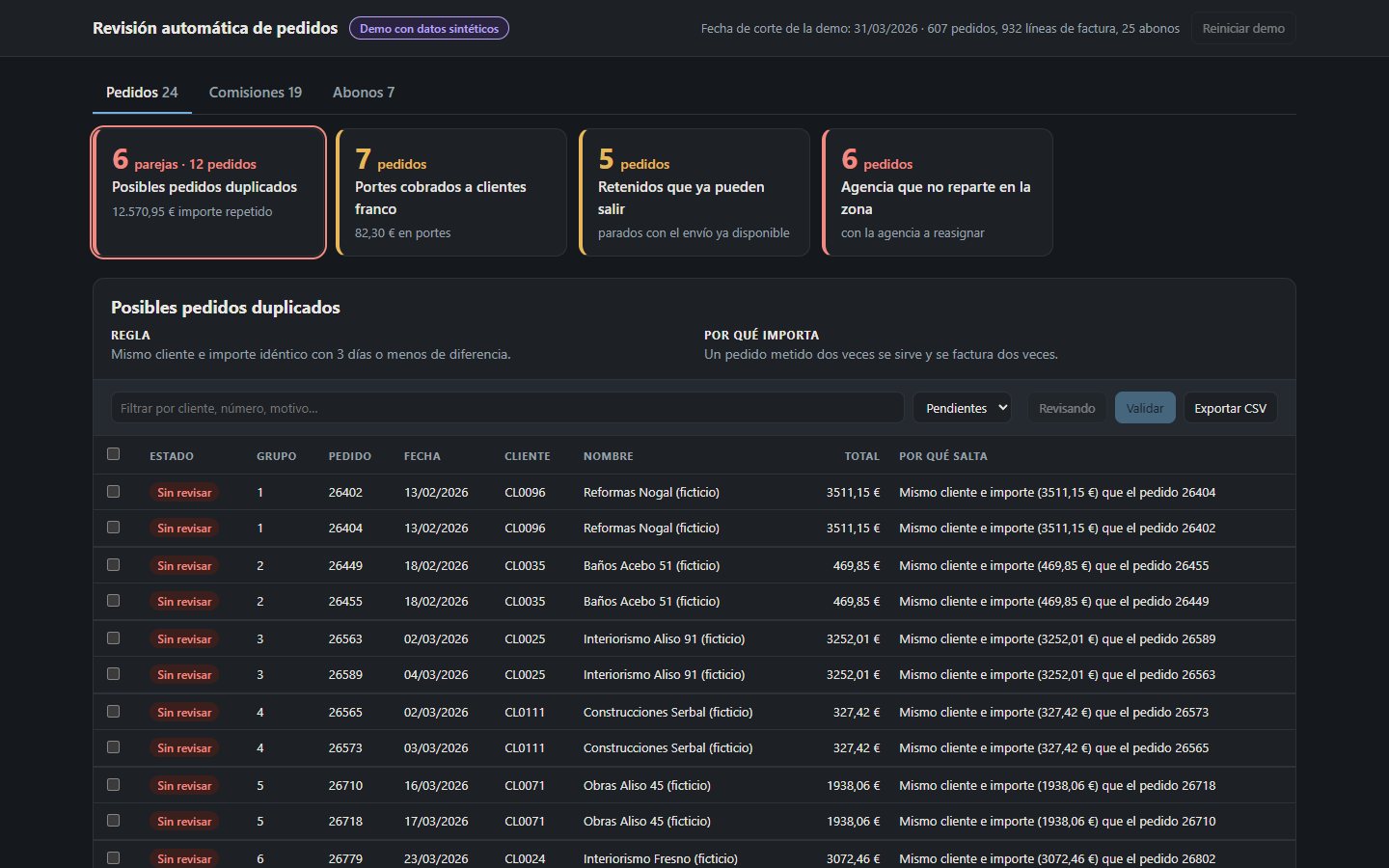
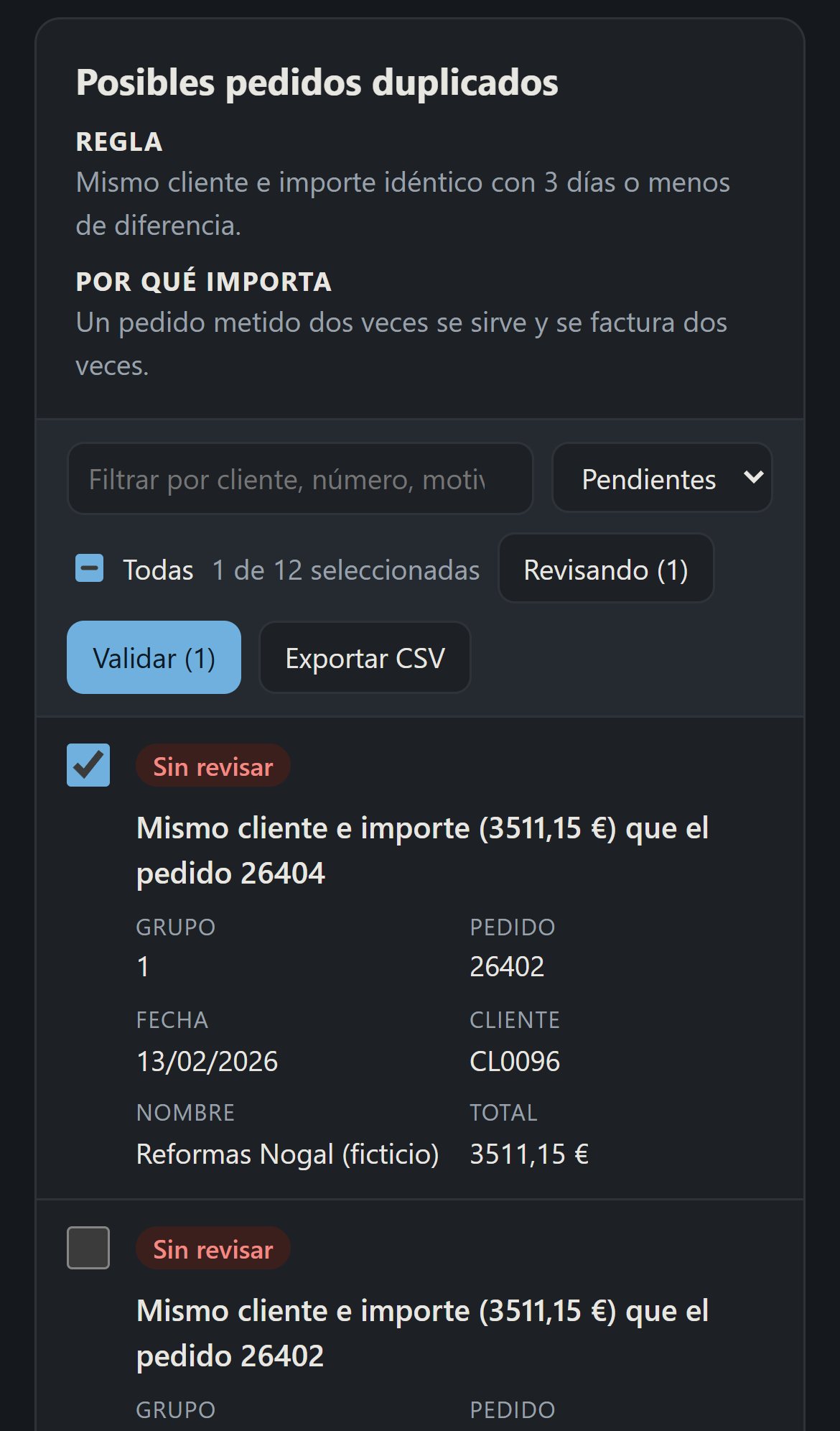
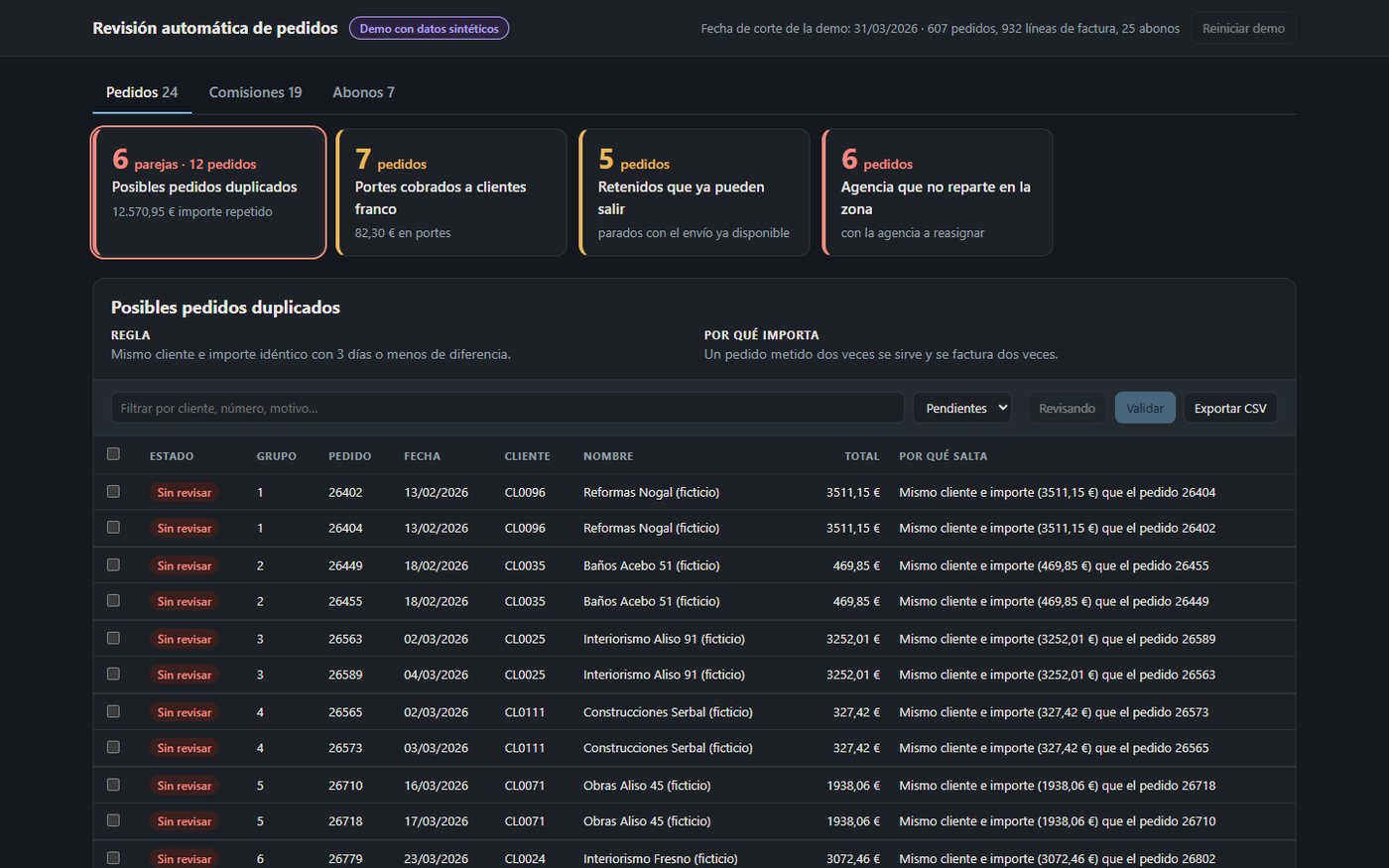
- The same order entered twice.
- Shipping charged to customers who have it included.
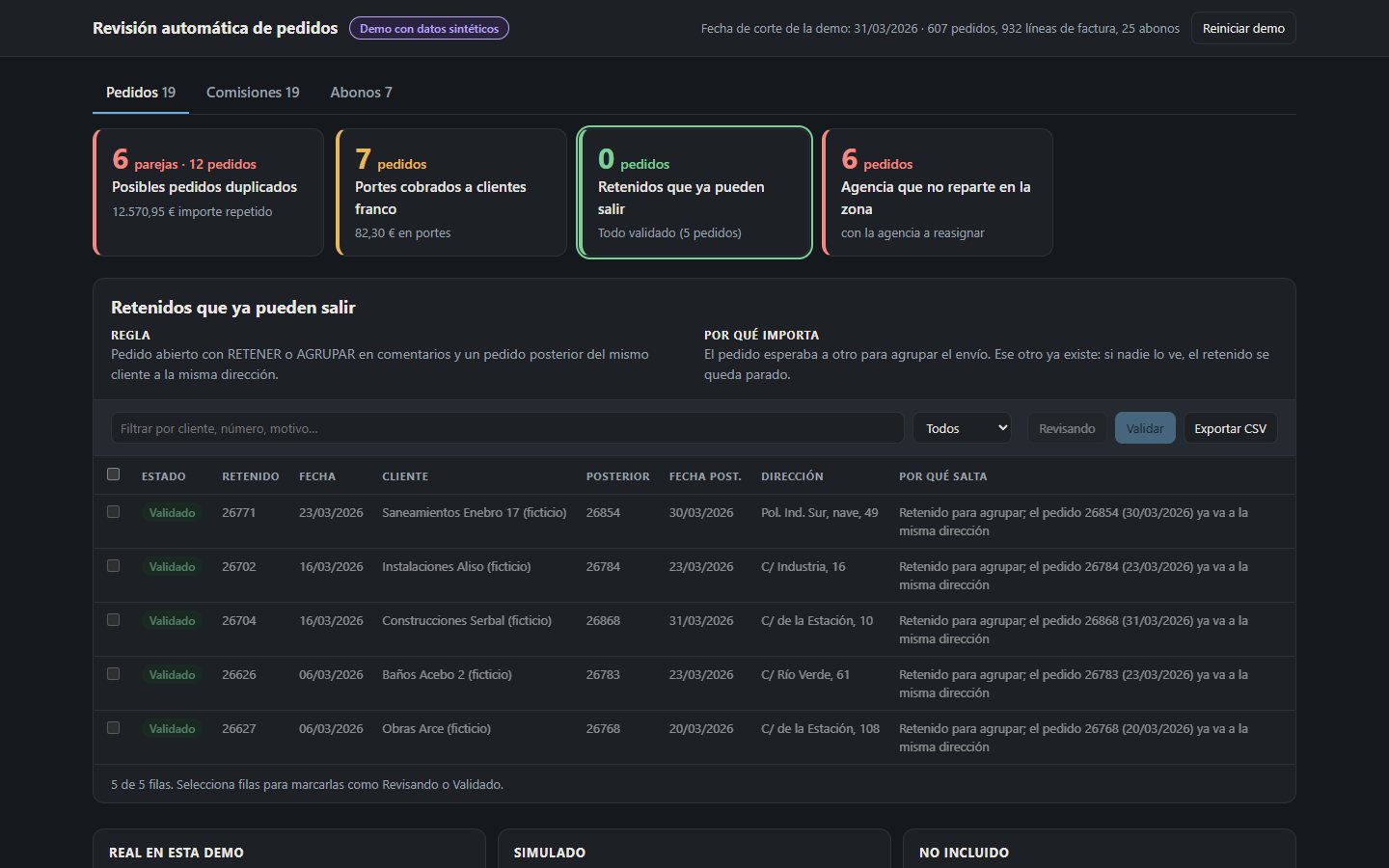
- Orders held back to group a shipment that got stuck when the next order already existed.
- Shipments assigned to a carrier that does not deliver in that province.
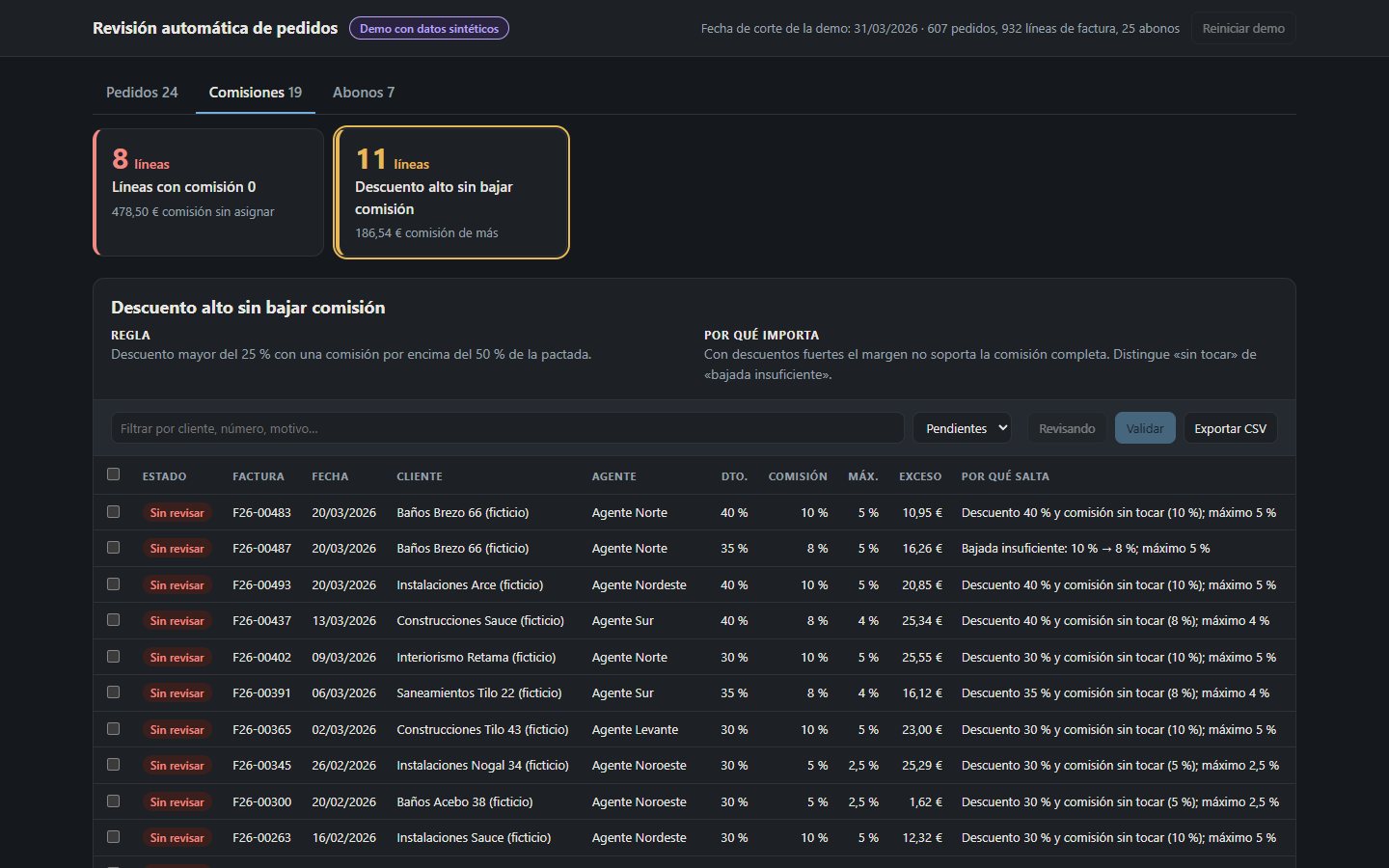
- Agent commissions that were not adjusted when a discount was applied, or that ended up at zero.
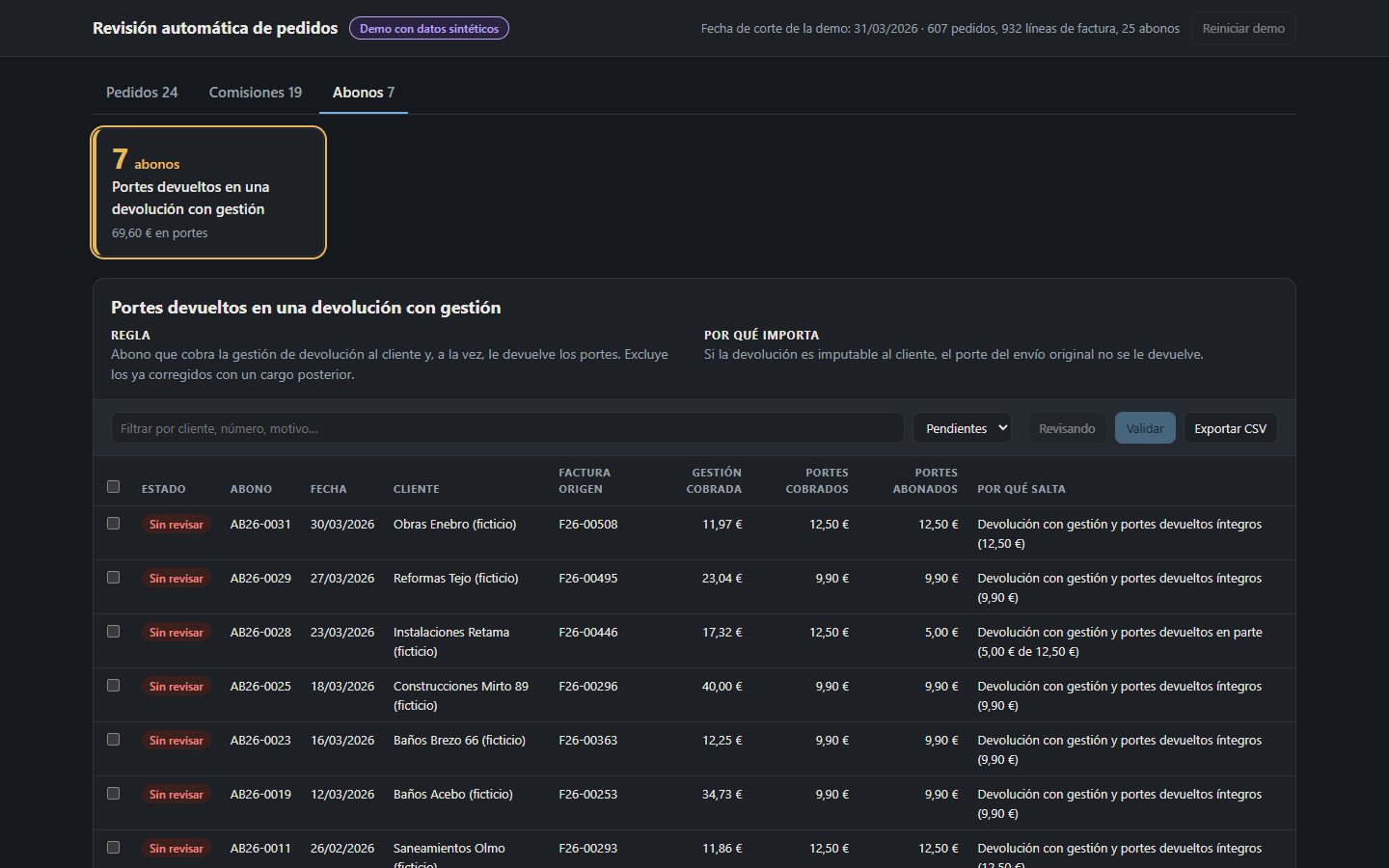
- Returns that charged the handling fee and refunded the shipping at the same time.
Every error costs money, a complaint or a repeat shipment. Almost all of them can be described with a rule.
What it does
The dashboard loads the exported data and runs the rules. Each section (orders, commissions, credit notes) has one card per rule, with the pending cases and what they add up to in euros. Opening a card shows the rule, why it matters and a table where each row explains its cause. Rows can be marked “Reviewing” or “Validated”, filtered and exported to CSV.
Why a rule fires
“Insufficient reduction: commission 10% → 8% with a 30% discount; the maximum allowed is 5%.”
- Rules as pure functions with a readable reason. The reason is part of the result, not decoration. It cuts review time and makes false positives visible.
- Explicit exceptions. Customers who collect, credit notes already corrected and commissions reduced enough do not fire. The demo includes planted near misses to prove it.
- Raw data; logic in the dashboard. Adding or adjusting an alert takes one function and one line of configuration, without touching the ERP server.
- Review status is tied to the case. A validated held order comes back if a new order from the same customer appears.
What is real and what is demo
| Part | In the demo | Detail |
|---|---|---|
| Data: orders, invoices, credit notes | Synthetic | Generated from scratch with a fixed seed. Company not named. |
| Rules | Synthetic | The original has 13 rules. The demo shows 7 generic ones, with made-up thresholds, zones and carriers. |
| In-browser engine and per-row reason | Real | Same architecture as the original, rebuilt from scratch. |
| Validations shared across the team | Not included | In the demo they are saved only in your browser. |
| Transport invoice audit and customer-specific rules | Not included | They exist in the original. |
Results
Original system: used daily by customer service and administration. I do not publish company amounts or data.
A real example: every day the engine compares orders with each other: same customer, same order total and same delivery address. When they match, an alert fires; I check it and, when it is a real duplicate (more than 7 a week), it is cancelled before it is shipped and invoiced twice.
Transport: the transport invoice audit checks every carrier invoice against the agreed rate and flags what does not match so it can be claimed back.
The demo figures come from synthetic data. They show that the engine works, not the impact on the company.
Limitations and next steps
- The rules are deterministic: they do not prioritise by probability or learn from validations.
- Next step: keep a history of validations to measure each rule's false positive rate. It is the natural starting point for a model that prioritises.
- Email alerts when a red case appears.
Demo screenshots
All with synthetic data. The demo interface is in Spanish.